What happens in a sit
A sit is one person, once, in a browser tab. They open a link, answer questions out loud, and close the room themselves. No account, no download, no scheduling.
The door
The link opens on the room's front step, before the camera is touched.
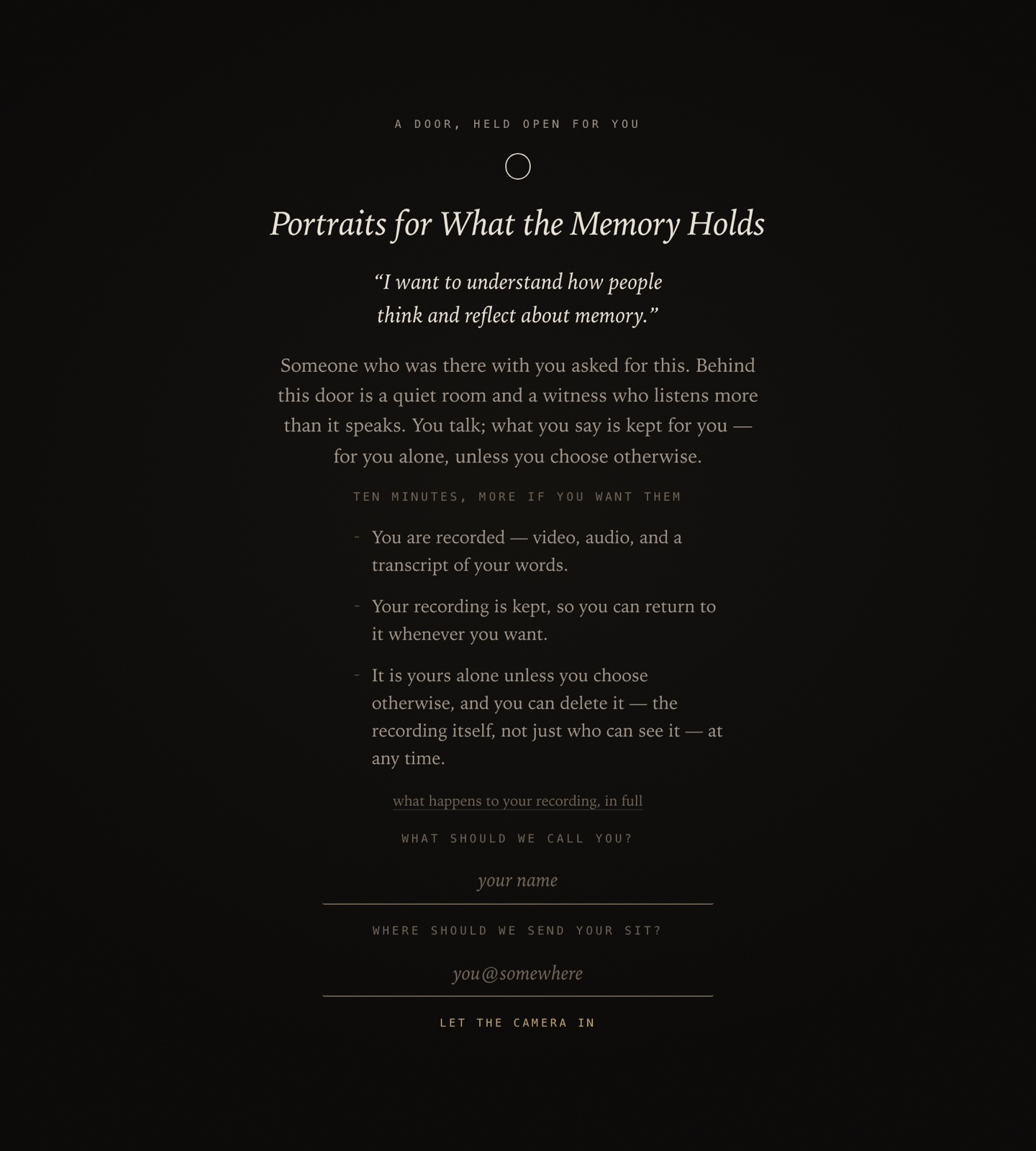
The door shows four things:
- The room's title and the organizer's own words about why it exists.
- How long it is expected to take — the organizer writes this per room.
- Three promises: you are recorded; the recording is kept; it is yours alone unless you choose otherwise, and you can delete it at any time.
- Two fields — a name and an email — then let the camera in.
The email is how a person is recognised if they come back. Nothing is sent to it to get started. Full detail on the promises is in Consent, visibility and withdrawal, linked from the door itself.
The room
One question on screen at a time. Recording starts when the person begins speaking, and the controls sit at the edge of the frame.
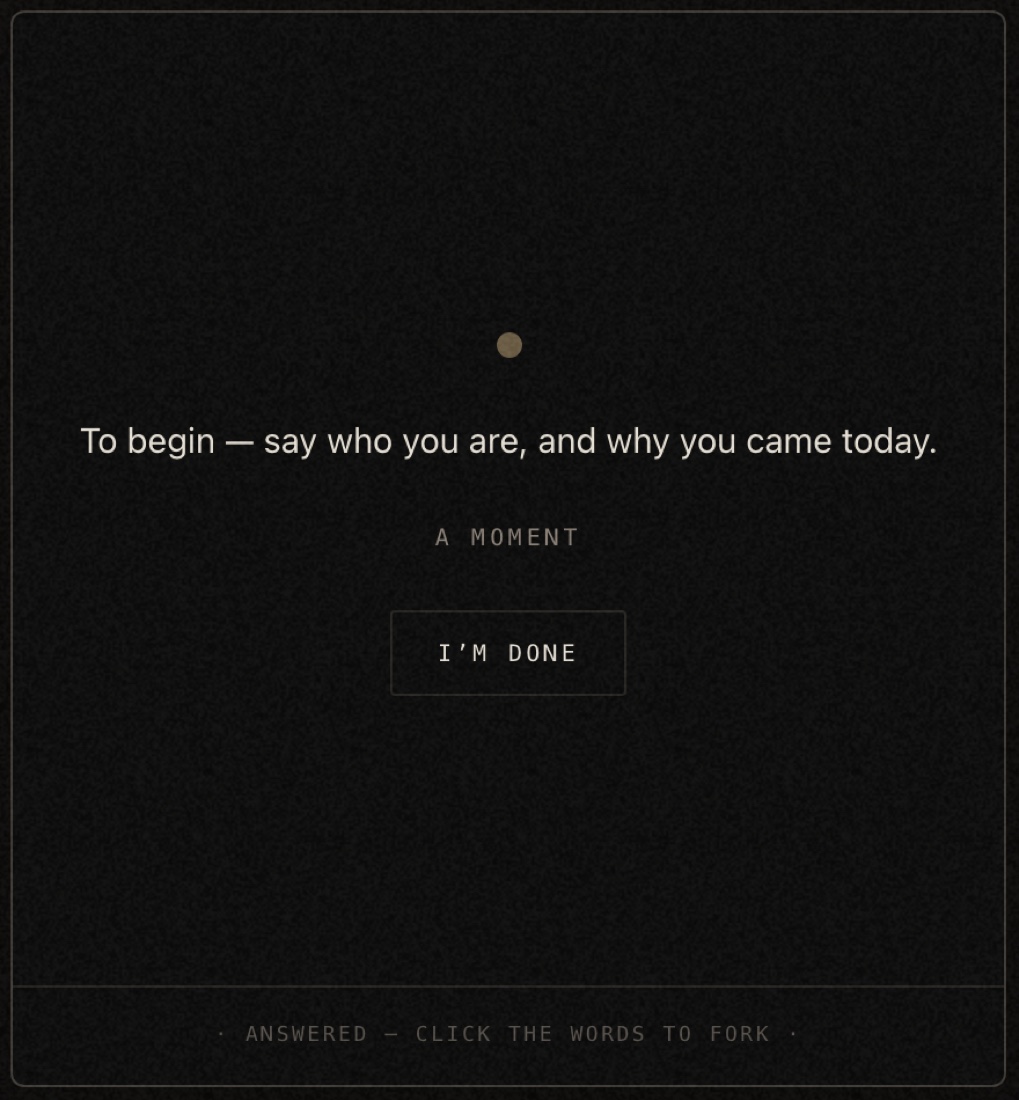
Edge controls
- words
- Show or hide the running transcript on screen.
- room
- Change camera or microphone mid-sit. Nothing is lost.
- hold to close
- End the sit. It is a press-and-hold, so it cannot be hit by accident.
While an answer is running
- take a breath
- Pause. go on picks it up where it stopped.
- start over
- Scrap this answer and take the question again.
- i'm done
- Keep the answer and move to the next question.
There is no minimum length and no countdown. Silence inside an answer is kept rather than cut around.
How the questions are chosen
Some questions are written by the organizer and asked of everyone. Others are generated during the sit from what the person has just said. The balance is a setting on the room — see how far the room may follow.
Every answer is stored against the exact question that prompted it. That is what lets the organizer read all six answers to one question side by side later.
The close
The person ends the sit by holding the close button. The room says:
Then it asks the one question that belongs to them: where this should live. Two options, Only me and Let it stand publicly. Saying nothing chooses the first.
That choice is covered in full in Consent, visibility and withdrawal.
What to send with the link
Four lines cover almost every question a person asks before they sit:
- It takes about as long as the room says, and you can stop at any point.
- You need a camera and a microphone. A quiet room and headphones make it better.
- Nobody is on the other end. It is not a call.
- What you say stays yours unless you choose otherwise at the end.
For the last one, send the consent page rather than paraphrasing it.
A sit must be finished in one sitting. If someone closes the tab part-way through they cannot resume that sit — they would start again. Answers they already finished are kept.