Setting up a room
A room is one occasion — a team, an event, a study, a year of your own journal. It holds the questions, the links people arrive by, and everything that comes back. Your first room is free.
Commission the room
- Go to Start a room.
- Answer a few questions about the occasion: what it is, who is sitting, what you hope to hear. This is a conversation, not a form.
- You end up with a room that has a title, a line of context, and a first set of questions. Everything is editable afterwards.
The room chapter
Every room has two chapters, switched from the top right: The room is what gets asked, The studio is what came back. Setup lives in the first.
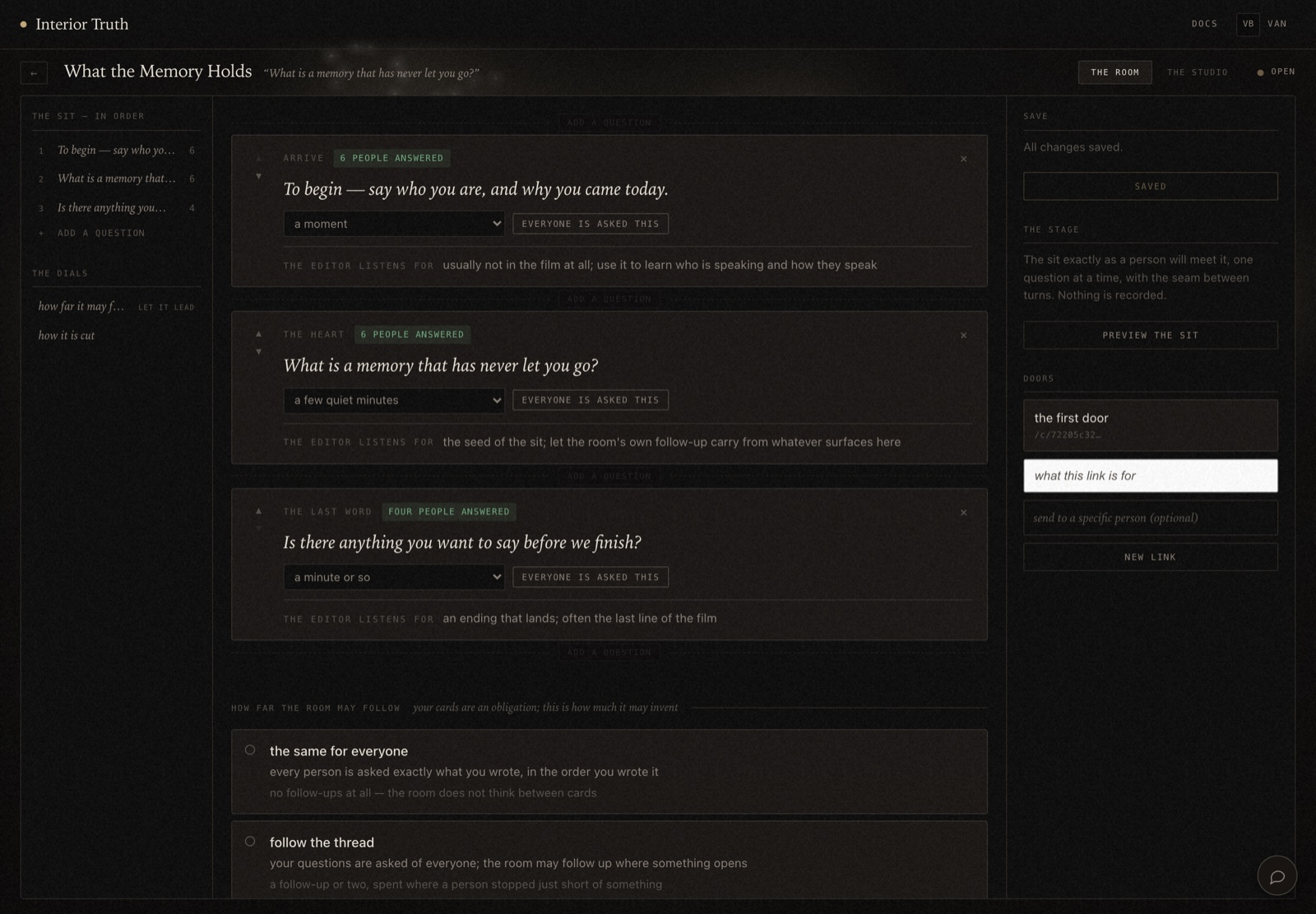
Questions
Each question card carries:
- The words themselves
- Shown to the person, and spoken aloud if the room has a voice.
- What is asked of their time
- A dropdown — a moment, a few quiet minutes, a minute or so. This sets expectations, not a timer.
- Everyone is asked this
- Whether the question is put to every person. This is where comparability comes from.
- The editor listens for
- A note on what matters in the answer. It travels with the question.
Reorder with the arrows on a card, remove with ×, and add with add a question.
How far the room may follow
The most consequential setting in a room. Two choices:
- the same for everyone
- Every person is asked exactly what you wrote, in the order you wrote it. No follow-ups. Use this when you want answers you can line up next to each other.
- follow the thread
- Your questions are still asked of everyone, and the room may follow up where something opens. Use this when depth matters more than comparison.
A study usually wants the first. A wedding usually wants the second.
Preview the sit
Preview the sit walks the room exactly as a person will meet it, one question at a time. Nothing is recorded, and no session is created. Do this before you send any links.
Let people in
People arrive through a door — a link that opens straight into the sit. No account, no password, and no invitation email from us.
- In the room chapter, find Doors on the right.
- Write what the link is for, so you can tell your links apart later.
- Optionally address it to a specific person.
- Click New link.
- Click the door to copy it, then send it yourself, however you already talk to these people.
One link can be sent to everybody, or you can mint one per person. One per person is worth it when you want names to fill in as people arrive.
A room with no doors cannot be entered. This is the step that actually starts things.
Watch it happen
The studio chapter lists everyone the room knows about and where each one stands — invited, sitting now, kept. What people said reaches you only for those who chose to let their sit stand publicly (Consent).
Close a room
Closing a room stops its doors opening and makes it a finished record. Nothing new can be added afterwards.
Closing does not affect anyone's choice about their own sit. People can still go private or withdraw from a closed room.
Rooms currently assume one sit per person. If the same person sits twice, the roll shows one row for them and the earlier sit is hard to reach from the page. Nothing is lost — the display does not expect it yet.